
Assistance and diagnosis
Paste an error or log excerpt without sensitive data. Ask for an explanation, hypothesis to test, or a sequence of checks for the ticket.
An evaluation path for offices, IT teams and laboratories who want to try a Linux desktop with office applications and local inference.
Berry‑AI can perform textual tasks on the content you provide it. The client returns text. The operator applies changes, executes commands and launches tests with his tools.
Paste an error or log excerpt without sensitive data. Ask for an explanation, hypothesis to test, or a sequence of checks for the ticket.

Provide a snippet and expected behavior. Ask them to explain the code, propose a targeted change, identify edge cases, or sketch out unit tests.

Turn notes into a how-to, release checklist, or knowledge base outline. Re-read steps and prerequisites before sharing.
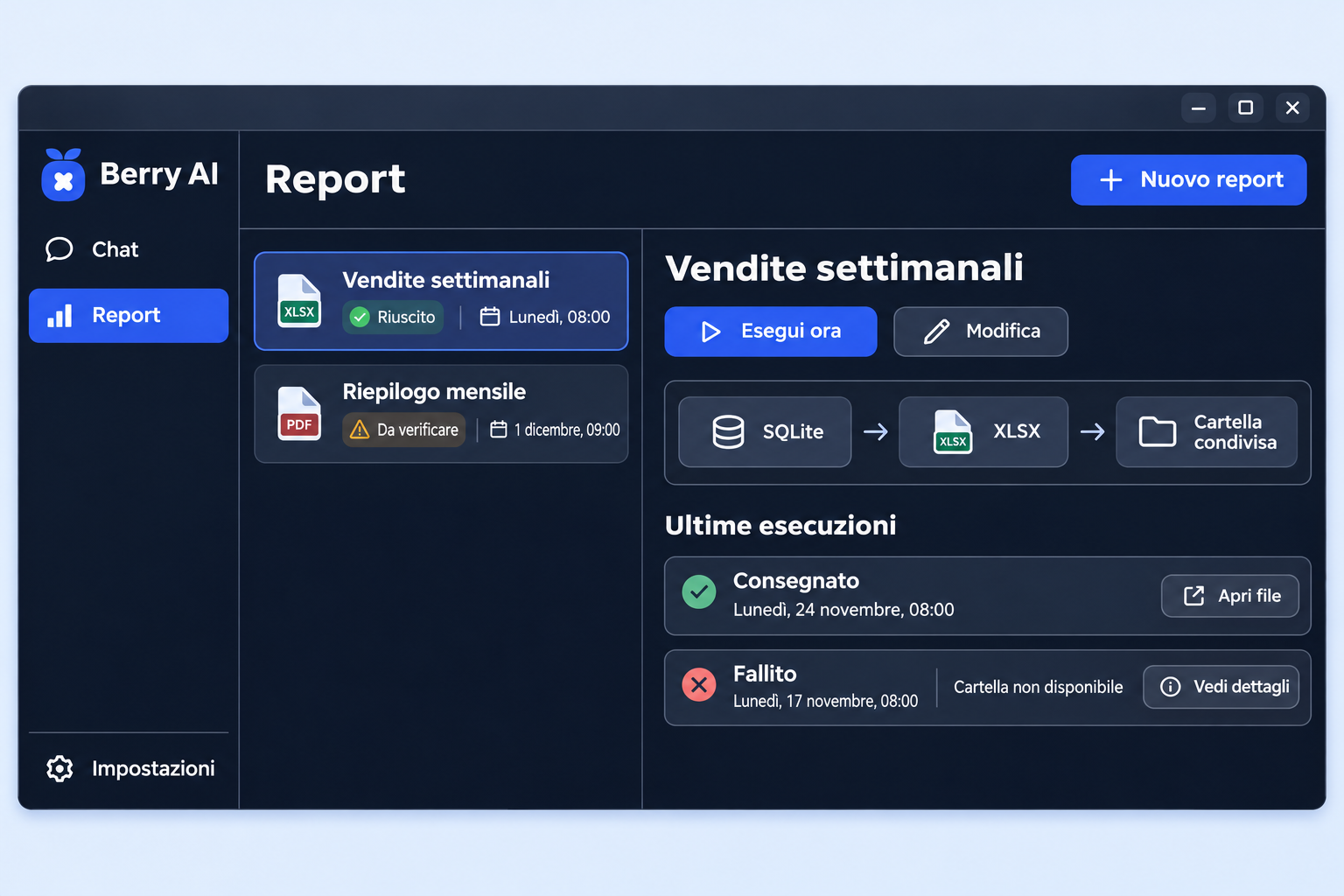
Check when the next report will start, start one manually and open the delivered file. If a shared folder is unavailable, the history shows which execution failed and why.
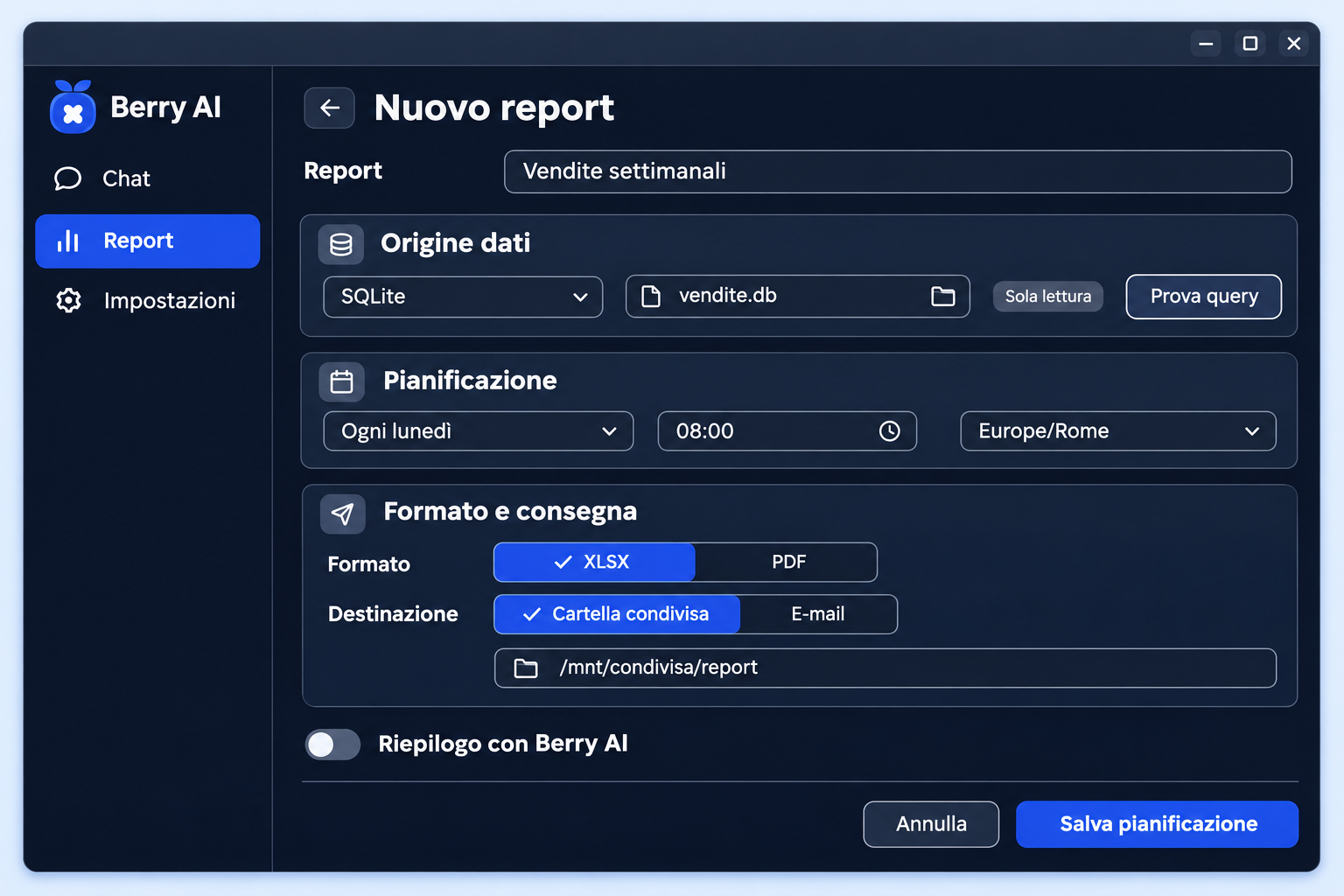
Choose read-only database, test the query and set days and times. The report can be generated in XLSX or PDF and delivered via email or to a shared folder. Summarization with Berry‑AI is optional.
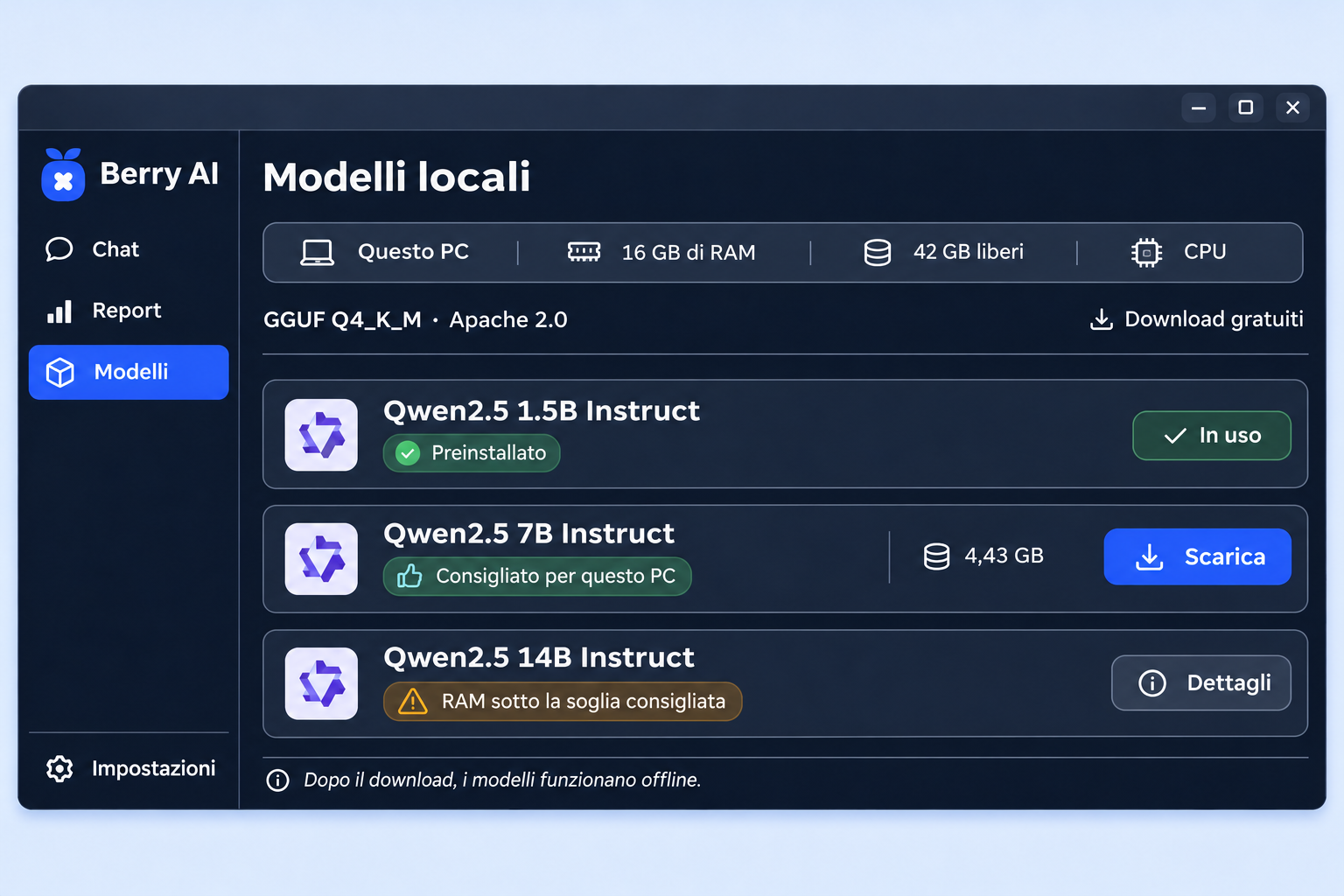
The catalog combines the pre-installed Qwen2.5 1.5B model with the 7B and 14B variants, which can be downloaded for free with the Apache 2.0 license. The proposal evaluates RAM and free space to suggest which model to install and use offline.
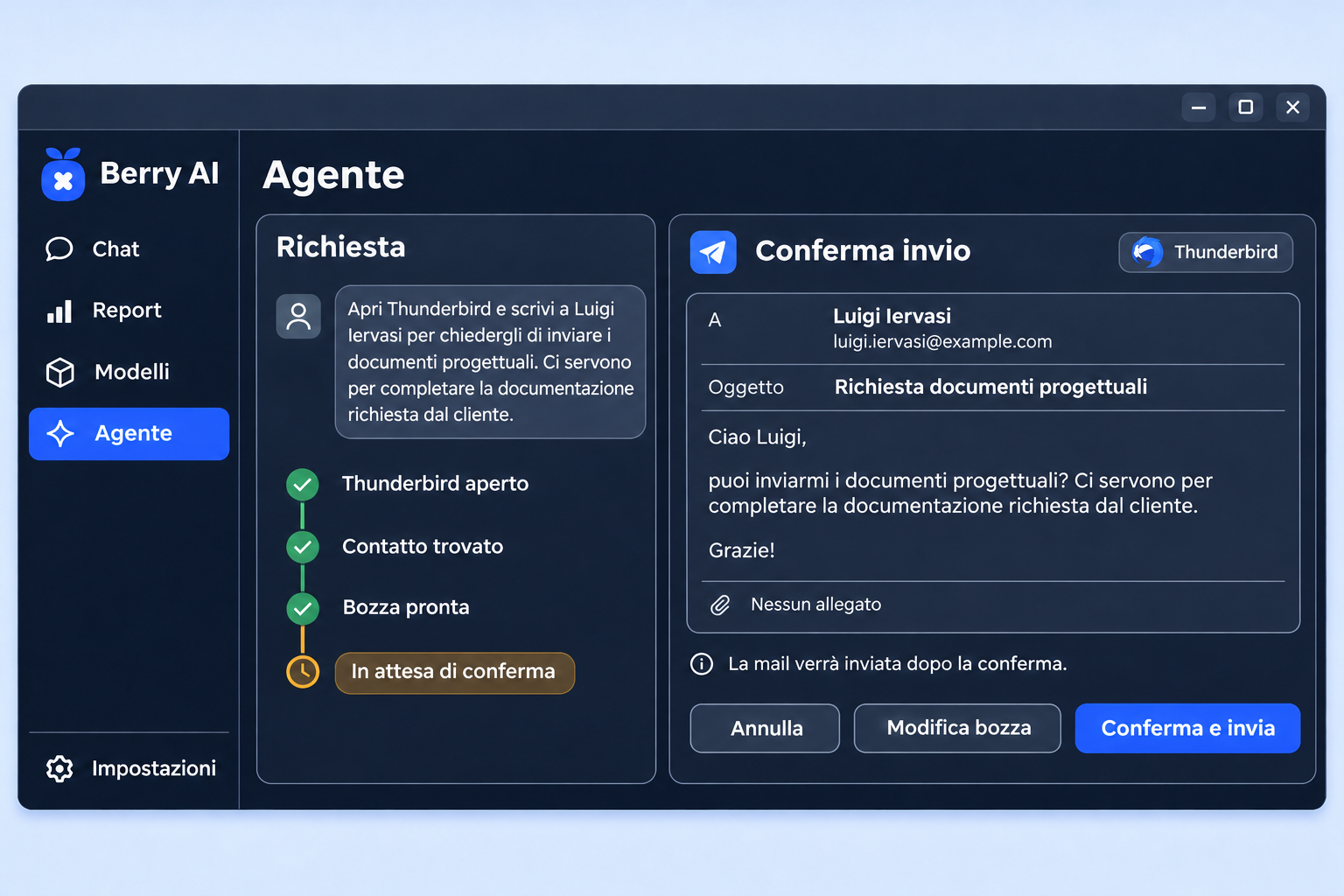
The agent opens Thunderbird, searches for the recipient and prepares an email to request the necessary project documents from the customer. Before sending, it shows the recipient, subject and text, with the possibility of modifying the draft or canceling. The address shown is fictitious.
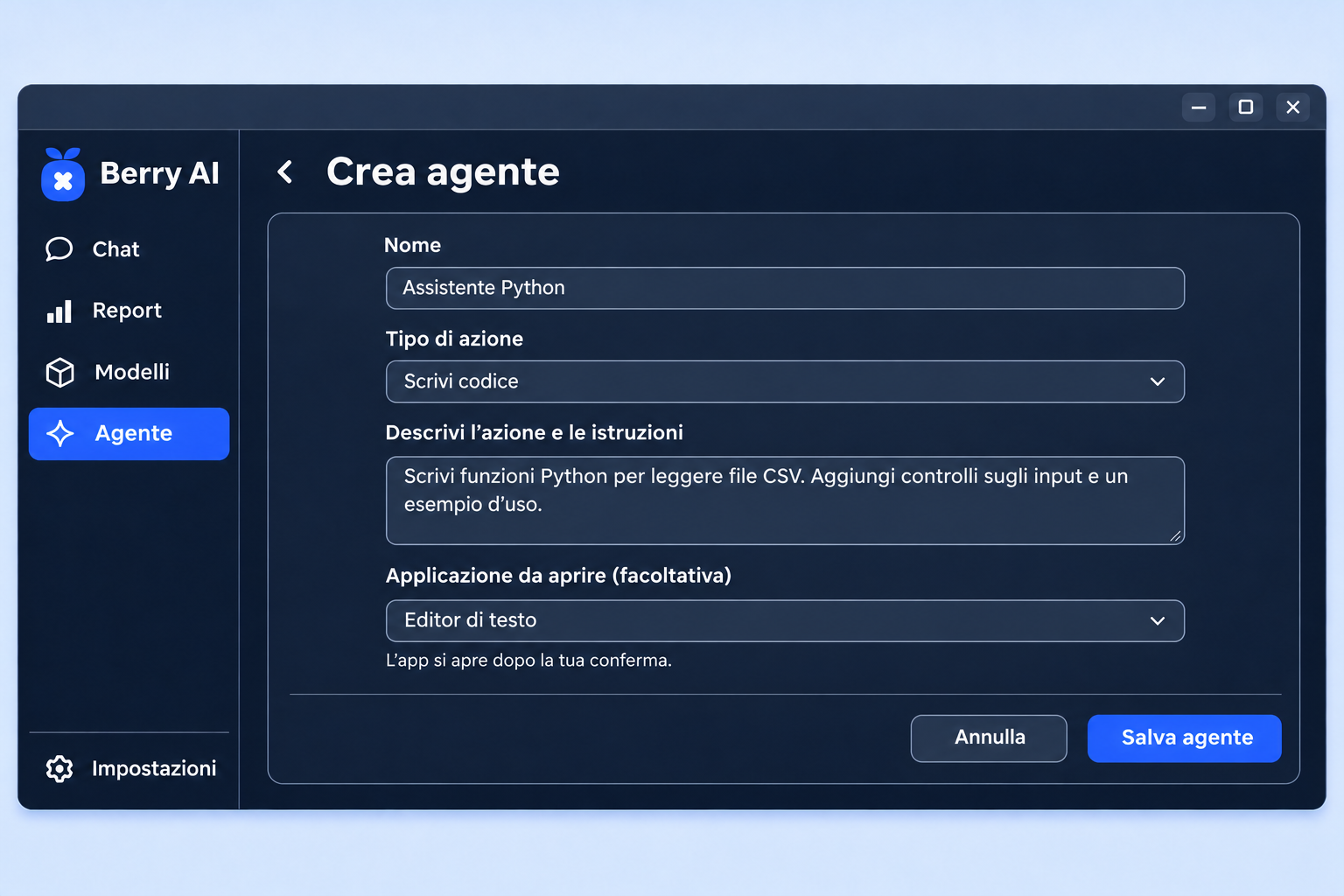
Save an agent with a name, action type, and reusable instructions. In the example, Python Assistant generates code to read CSV files and check inputs. You can choose an app to open after confirmation, such as a text editor to review the result.
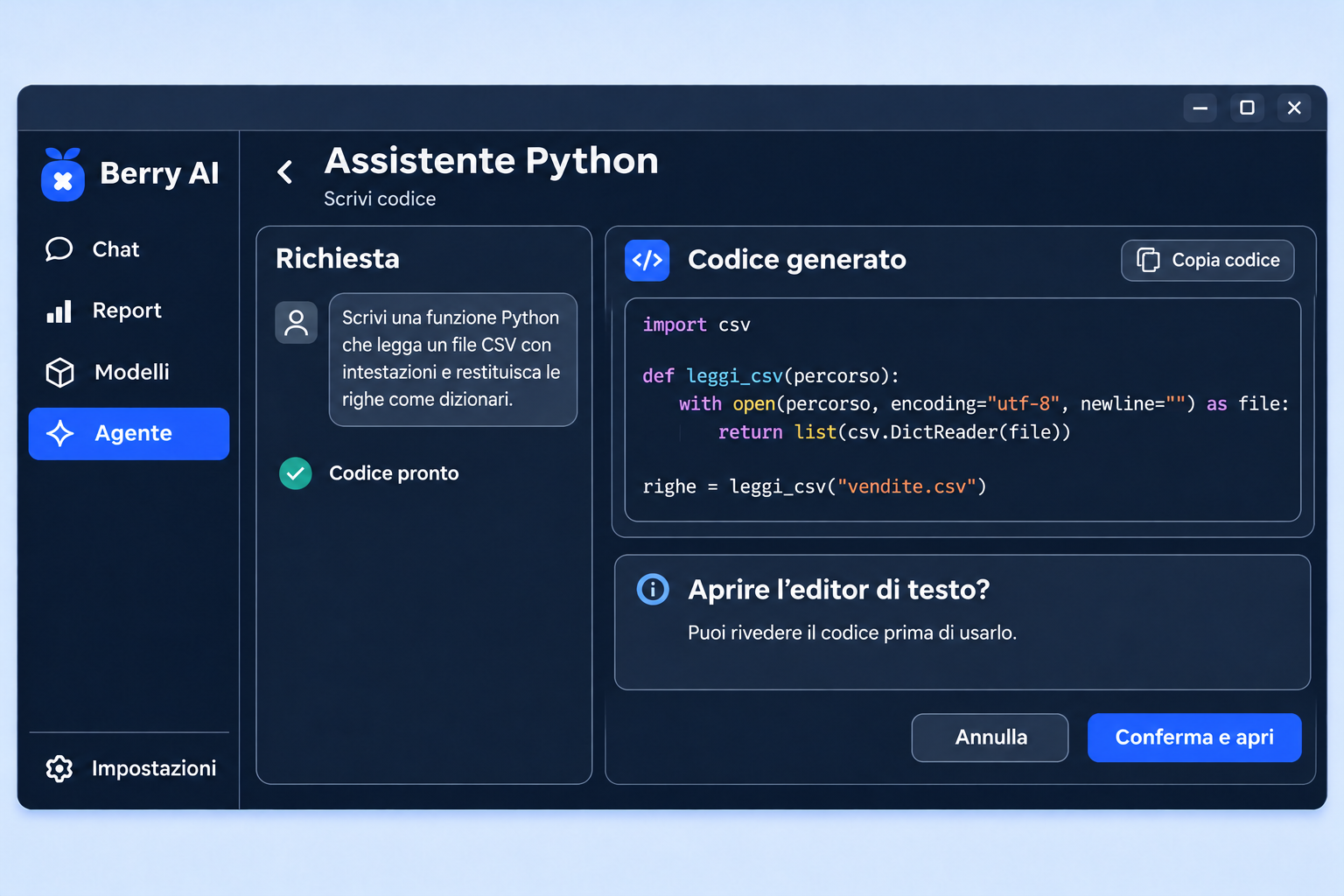
Ask the agent to write a function that reads a CSV file and returns the rows as dictionaries. Berry‑AI shows the code to review and copy. The text editor opens when you choose Confirm and open.
Test network, audio, printing and screens on the designated locations. Open representative documents, templates and spreadsheets in LibreOffice. Also check shared mail, calendars, and streams.
Decide what data goes into prompts, who approves models, and how results are shared. Use non-sensitive examples in the pilot, compare quality and times on team cars.
Record model, version, applications, updates and test results. Define who handles backup and recovery before moving to other locations.
The pilot starts from Boreale's ISO AMD64. Centralized management services, certifications and SLA assistance remain separate areas of evaluation.