
Berry Store
Install and update the official blueBerryOS apps. With Berry Store 1.2.0 you can also request access to the Enterprise catalog and unlock it with a code.
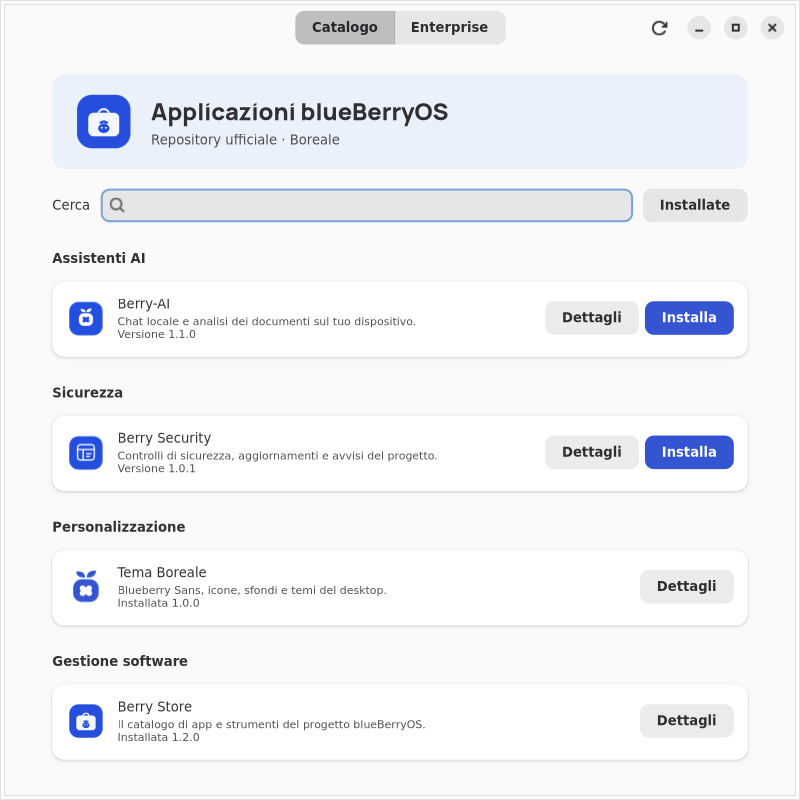
What's new in 1.2.0
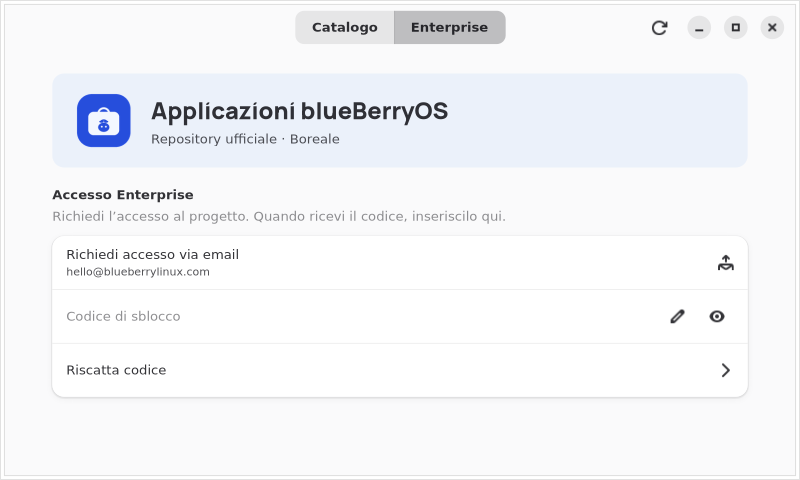
The new tab Enterprise allows you to request access and activate the private APT repository with the code received from the project.
- Catalog by category. AI Assistants, Security, Personalization and Software Management, with search and filter for installed apps.
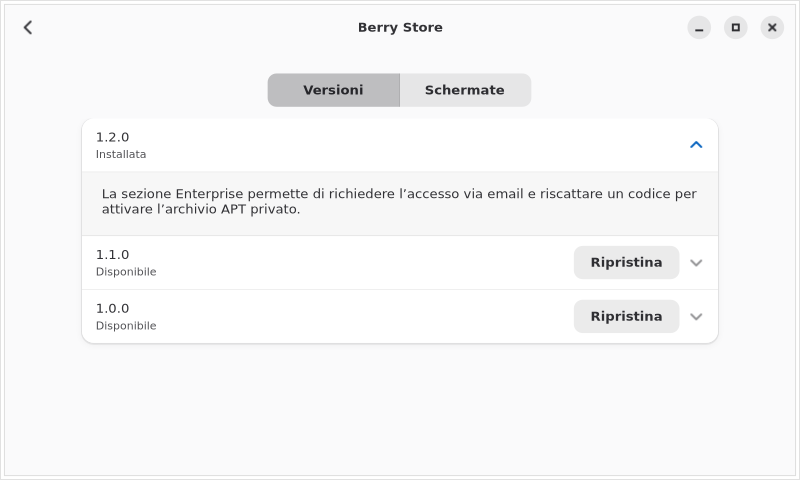
- Release history. Open Details → Versions to compare what's new, the version installed and those available.
- Previous versions. You choose Restore next to a version still available in the APT archive and confirm the operation.
App screens
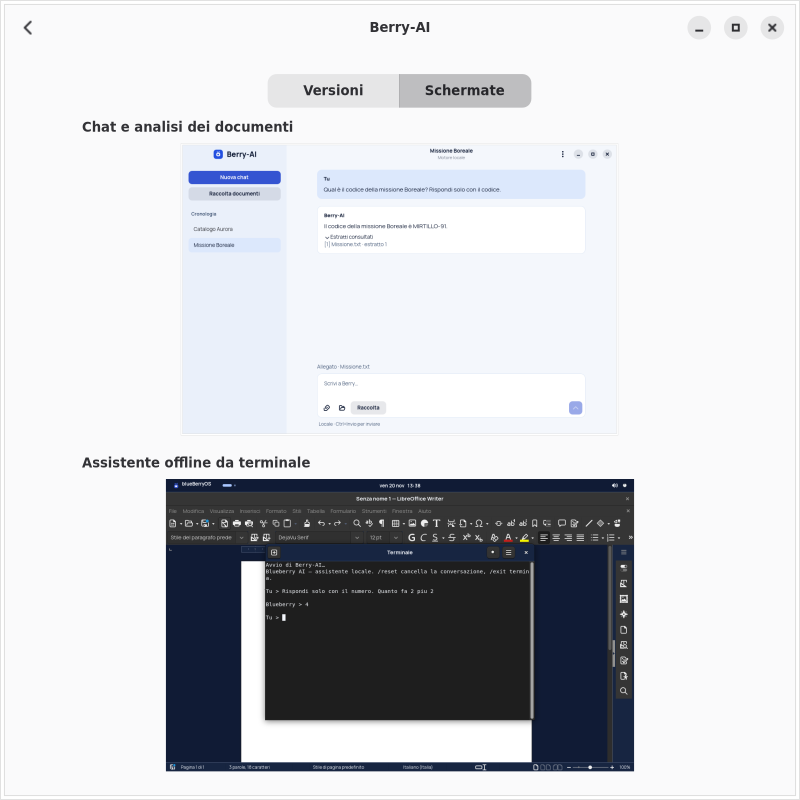
Each catalog tab shows two screens. In the Berry‑AI tab you can see the chat with an attached document and the assistant in use from the terminal.
Install or update with APT
On Boreale for AMD64 and ARM64, run the commands in Terminal. The official blueBerryOS repository must already be configured.
First installation
sudo apt update
sudo apt install blueberry-berry-store/boreale
When finished, open Berry Store from the Applications menu.
Update to 1.2.0
sudo apt update
sudo apt install --only-upgrade blueberry-berry-store
If Berry Store is already open, reopen it after the update.
Enterprise Access
With an unlock code you can connect the blueBerryOS private APT repository to the Berry Store and install the available Enterprise packages.
- Request access. Open Enterprise → Request access via email in Berry Store or write to hello@blueberrylinux.com.
- Wait for the code. If your request is approved, you will receive a code via email to use on a computer.
- Redeem the code. In the tab Enterprise, paste it in Unlock code and choose Redeem code. Confirm system permission to configure APT and load catalog.
Propose an app for Berry Store
External developers can submit source code or a package .deb to be evaluated for the Boreale APT archive.
Requirements
- Indicates compatibility with Boreale, dependencies and proven architectures between AMD64 and ARM64. USA
allfor architecture-independent packages. - Attach the license or permission to redistribute the program, including the assets you want to include.
- For a
.deb, fill in the fieldsPackage,Version,Architecture,MaintainerAndDescription. Declare dependencies onDependswhen they are needed.
What to send
- Sources. Share the link to the Git repository with the tag or commit to evaluate, the compilation instructions and the tests performed.
- Package
.deb. Share a downloadable link for each architecture, the SHA‑256 checksum, and information about how you built the package. - Store Card. Include app name, author, description, category, icon, screenshots, and version news.
Send the proposal
Write to hello@blueberrylinux.com with the links and information requested. For confidential projects, first agree on a sharing channel.
The team verifies the materials, tests installation and updates on Boreale and publishes the approved packages in the signed APT archive.